
Category: IS-IS
Lab: Running IS-IS over IPv4 Unnumbered and IPv6 LLA Interfaces
IS-IS does not use IPv4 or IPv6, so it should be a no-brainer to run it over IPv4 unnumbered or IPv6 LLA interfaces. The latter is true; the former is smack in the middle of the It Depends™ territory.
Want to know more or test the devices you’re usually working with? The Running IS-IS Over Unnumbered/LLA-only Interfaces lab exercise is just what you need.

Click here to start the lab in your browser using GitHub Codespaces (or set up your own lab infrastructure). After starting the lab environment, change the directory to basic/7-unnumbered and execute netlab up.
IS-IS 3-Way Handshake and the Power of SHOULD
Yesterday, I mentioned that a Cisco router running pre-standard IS-IS 3-way handshake (this is why you need it) interoperates with multiple implementations of RFC 5303. How’s that possible, and does it matter whether you configure the ancient Cisco routers (release 15.x) to use IETF 3-way handshake instead of the “proprietary” one?
I took a trip to the Wireshark land to figure out the details (you can download the capture file):
Lab: IS-IS Designated Router Election
Like OSPF, IS-IS needs a router to originate the pseudo-node for a LAN segment. IS-IS standards call that router a Designated Intermediate System (DIS), and since it is not responsible for flooding, it does not need a backup.
Want to know more? The Influence the Designated IS Election lab exercise provides the details (and some hands-on work).
Lab: Passive IS-IS Interfaces
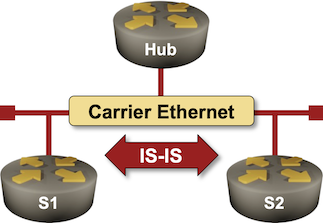
The initial IS-IS labs covered the IS-IS basics. It’s time to move on to interesting IS-IS features (and why you might want to use them), starting with passive IS-IS interfaces.

Lab: Level-1 and Level-2 IS-IS Routing
One of the recipes for easy IS-IS deployments claims that you should use only level-2 routing (although most vendors enable level-1 and level-2 routing by default).
What does that mean, and why does it matter? You’ll find the answers in the Optimize Simple IS-IS Deployments lab exercise.
Weird Junos IS-IS Metrics
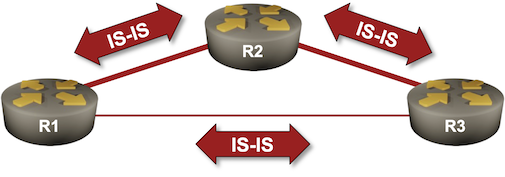
As part of the netlab development process, I run almost 200 integration tests on more than 20 platforms (over a dozen operating systems), and the amount of weirdness I discover is unbelievable.
Today’s special: Junos is failing the IS-IS metrics test.
The test is trivial:
- The device under test is connected to two IS-IS routers (X1 and X2)
- It has a low metric configured on the link with X1 and a high metric configured on the link with X2
The validation process is equally trivial:
Lab: Dual-Stack IS-IS Routing
Contrary to the OSPF world, where we have to use two completely different routing protocols to route IPv4 and IPv6 (unless you believe in the IPv4 address family in OSPFv3), IS-IS provided multi-protocol support from the very early days of its embracement by IETF. Adding IPv6 support was only a matter of a few extra TLVs, but even there, IETF gave us two incompatible ways of making IPv6 work with IS-IS.
Lab: Using IS-IS Metrics
It’s time for another “the vendor IS-IS defaults are all wrong” blog post. Wide IS-IS metrics were standardized in RFC 3784 in June 2004, yet most vendors still use the ancient narrow metrics as the default setting.
Want to know more? The Using IS-IS Metrics lab exercise provides all the gory details.
Lab: Configure IS-IS on Point-to-Point Links
From a very high-level perspective, OSPF and IS-IS are quite similar. Both were created in the Stone Age of networking, and both differentiate between multi-access LAN segments and point-to-point serial interfaces. Unfortunately, that approach no longer works in the Ethernet Everywhere world where most of the point-to-point links look like LAN segments, so we always have to change the default settings to make an IGP work better.
That’s what you’ll do in today’s lab exercise, which also explains the behind-the-scenes differences between point-to-point and multi-access links and the intricate world of three-way handshake.
IS-IS Labs: Explore IS-IS Data Structures
In the first exercise in the IS-IS labs series, you configured IS-IS routing for IPv4. Before moving on to more complex topics, let’s explore the data structures IS-IS created to represent your network.
